
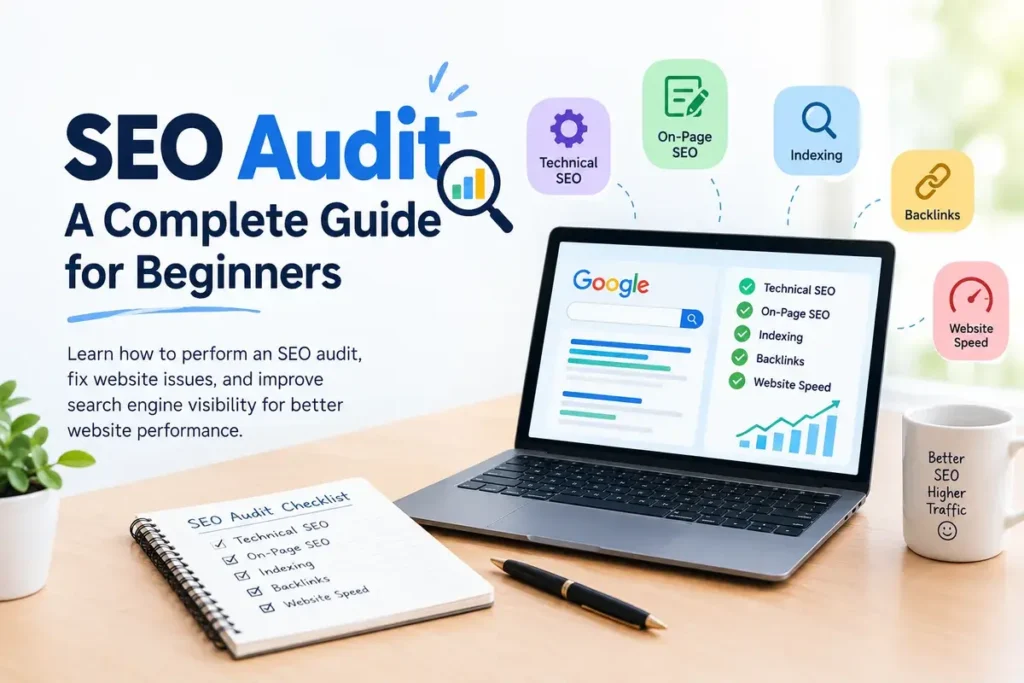
Are there situations when you feel sad due to low traffic to your website despite the creation of quality content? In most cases, the problem is not connected with the quality of your content. This can be connected with some technical errors, the absence of website optimization and indexing and other factors.
Here appears the significance of the SEO audit.
Through the SEO audit For Beginners Guide, you will have an opportunity to check the website optimization, discover problems, and learn what changes should be done first. No matter if you have a personal blog, corporate site, or portfolio on WordPress, conducting the evaluation of your website will help you make the right decision regarding the SEO.
This guide will tell you what SEO audit is, why it is important, and how to conduct it even if you are a beginner in the sphere.
What Is an SEO Audit For Beginners Guide?
SEO audit For Beginners Guide refers to the analysis of your website for the identification of elements that could harm its visibility within search engines and usability.
SEO audit covers several aspects, such as technical SEO, on-page SEO, quality of content, structure of the website, and the backlink profile.
As an illustration, let us assume that you have released ten articles that are beneficial for your visitors, but find out that some important pages of your website are not indexed by Google. It is possible to perform an SEO audit and analyze the reason for that.
The audit will not ensure better ranking, however, it will provide more information about the current situation with your website.
Why Is an SEO Audit For Beginners Guide Important?
Web pages undergo changes. New web pages may be added, some links may become non-functioning, the plug-ins might be updated, and there may be other technological problems.
The following can be done with the help of an SEO audit For Beginners Guide:
- Determine whether there are any crawl and indexation problems.
- Find all missing or under-optimized title and description tags.
- Discover broken internal links and error pages.
- Test website speed and mobile usability.
- Discover all content gaps and out-of-date information.
- Analyze all the backlinks or linking patterns that may do your website any harm.
- Create a strategy for improved search ranking on the web organically.
All these points may be very helpful for small businesses as there are only a few important pages for them.
How to Perform an SEO Audit For Beginners Guide Step by Step
1. Verify Website Indexation
The first thing you need to do is to see whether Google is able to find and index your vital pages.
Start with Google and perform a search with “site:yourdomain.com”, replacing the example with your actual domain. It will give you an idea of what pages are indexed by Google, but it’s definitely not an indexing report.
If you want to check it better, go to Google Search Console.
Go to the Page Indexing report where you will be able to see indexed and not indexed URLs. If you see that some vital page is not indexed, take a look at its URL to figure out the reason. Some of them could be as follows: noindex tag, crawling blocking, redirection, duplicate content, and low visibility.
Not all the non-indexed URLs are bad.
Official source: Google Search Console Page Indexing Report
2. Review On-Page SEO
On-page SEO helps search engines understand the intention of the page.
Go over your critical pages and ask yourself the following questions:
- Are your title tags descriptive, relevant, and unique?
- Does your meta description give a good representation of your page and encourage users to click on it?
- Do you have H1 tag on your page along with other heading tags?
- Does your page solve the problem of your visitors by using the right keywords?
- Are there any internal links that help your visitors access other pages on your website?
- Have you used images and described them with proper alt tags?
Don’t use the same keyword over and over again. Rather than repeating the same keyword over and over again, just write something that will answer the user’s query.
For instance, if you are writing a blog post on keyword research, then the blog post must give information about keyword research.
3. Check Technical SEO
Technical SEO deals with the accessibility, crawling and indexing of your website by search engines.
As part of a technical SEO audit For Beginners Guide, you should look at:
- The availability of important pages.
- Whether HTTPS is implemented.
- Whether the robots.txt file is blocking important data inadvertently.
- Whether unwanted noindex tags are found.
- Whether the XML sitemaps have the proper canonical URLs.
- Whether any redirect and broken links are handled properly.
- Whether the canonical tags direct to the right pages.
You may use the URL Inspection tool from Google Search Console to test the availability and indexability of individual URLs.
Google’s technical requirements are a good place to start: Google Search Technical Requirements.
4. Evaluate Website Speed and Mobile Experience
The website must be accessible on desktop and mobile devices. Slow loading, poor navigability, and design problems may annoy users.
To begin with, one should check vital web pages on Google PageSpeed Insights. Pay attention to the insights of the tool concerning its performance assessment, not only to its score.
Consider Core Web Vitals:
- Largest Contentful Paint (LCP). It reflects loading speed.
- Interaction to Next Paint (INP). It is about responsiveness to user interaction.
- Cumulative Layout Shift (CLS). It concerns unexpected visual jumps.
Solutions may include picture compression, scripts deletion, good hosting, and proper rendering of web page elements for mobile devices.
Each website needs particular changes to make. One can analyze results of the test and learn about problems which he/she should deal with.
Tool: Google PageSpeed Insights.
5. Audit Your Content
The quality of content is yet another element which is crucial for proper SEO optimization. Examine the blogs and services pages you have already written in order to make sure that the information provided there is accurate, helpful, and relevant.
Some questions you might want to ask yourselves are:
- Does the content answer the question of the reader?
- Is the information current and right?
- Are there other pages addressing the same issue?
- Are there any themes to be covered by the content?
- Can the old articles be updated?
- Does every single page suggest what steps the reader should take?
For instance, if there are several articles about SEO basics, figure out the purpose of each of them. One of the articles might explain all the basics while another would be dedicated to technical SEO issues.
Update pages only when it makes sense. Don’t change them in order to have a newer publishing date.
6. Review Internal Links and Backlinks
Internal links will be the links between different pages in your website. They will assist users to find similar content and give the search engines information about the structure of your website.
Search for broken links, pages with low internal links, and possibilities to make links between related articles.
When you have a pillar page for SEO and articles about on-page SEO, off-page SEO, and technical SEO, link these articles to your pillar page and vice versa.
Backlinks are links to your website from other websites. Analyze your backlink profile with the help of SEO tools and see what websites link to your website and whether they link it in relevance.
Try to earn your backlinks by creating valuable resources and relevant content. Don’t buy lots of suspicious backlinks or delete all the backlinks which come from unknown websites.
7. Create an SEO AuditAction Plan
Finding issues is only the beginning. The next step is deciding which ones to fix first.
Organize your findings into a simple action plan:
| Priority | Example issue | Recommended action |
| High | Important page accidentally marked noindex | Review and correct the directive |
| High | Key page returns an error | Investigate and restore the correct URL |
| Medium | Missing or unclear title tag | Write a relevant, descriptive title |
| Medium | Large, unoptimized images | Compress and resize where appropriate |
| Ongoing | Weak internal linking | Add relevant links between related pages |
Priorities depend on the severity of the problem and the importance of the affected pages. Fix critical accessibility and indexing issues before spending time on minor cosmetic improvements.
Best Tools for an SEO Audit
There is no need for you to spend money on a toolkit for launching your website audit process.
- Google Search Console: Track performance in searches, indexing and technical issues.
- Google PageSpeed Insights: Check the performance of your website speed and Core Web Vitals.
- Google Analytics: Understand the behavior of visitors in case if the tracking is correctly set up.
- Screaming Frog SEO Spider: Website crawling and detecting issues such as broken links, missing title tags or redirects; there might be some restrictions of certain tools in the free version.
- Rank Math: Track on-page SEO and selected technical SEO tools for WordPress sites.
- Tools will allow you to detect all possible issues, but you need to verify them.
How Often Should You Perform an SEO Audit For Beginners Guide?
However, depending on the size of your website and its rate of change, it will be necessary to find out what frequency is correct for your needs.
For instance, carrying out a comprehensive check of the site no less than once every three to six months can be considered as a perfect starting point for small business websites or blogs. There are certain reports from Search Console that need regular monitoring when creating a new content on the site.
After you make all the necessary changes, it is time to see how effective you have been.
Frequently Asked Questions
Is it necessary for perform an SEO audit For Beginners Guide?
Yes. Even the smallest website can have problems with indexing, broken links, missing metadata, and content. A basic audit will show beginners what has to be done.
Will an SEO audit affect Google ranking?
It can reveal problems that prevent the website from performing well in search engine results. However, fixing them will not necessarily lead to improvements because Google’s rankings depend on many other factors.
Which one is the best free SEO audit tool?
Google Search Console provides valuable information about indexing and search performance of the website. PageSpeed Insights helps in conducting performance audits. Both tools do not cover all aspects of an audit.
How much time does it take to conduct an SEO audit?
A basic audit of a small website can be conducted within a few hours. Conducting an audit of a large website and solving technical problems requires more time.
Conclusion
SEO auditing enables you to know what is right in your website, what should be improved and where to prioritize your work. By auditing indexing, on page optimization, technical SEO, website performance, content quality and links, you can develop a structured plan for search engine optimization.
You don’t need to address all problems at once. Prioritize problems related to important pages, use trustworthy data while making decisions and evaluate your efforts from time to time.
The purpose of an SEO audit For Beginners Guide is not only the identification of mistakes. It is an attempt to increase accessibility, utility and visibility of your website among target users.
About the author: Sajna Razal is a freelance digital marketer and SEO expert in Thrissur, Kerala providing real-life experience on SEO, local SEO, content optimization and digital marketing.